Explore the product
Follow the work, not a feature checklist
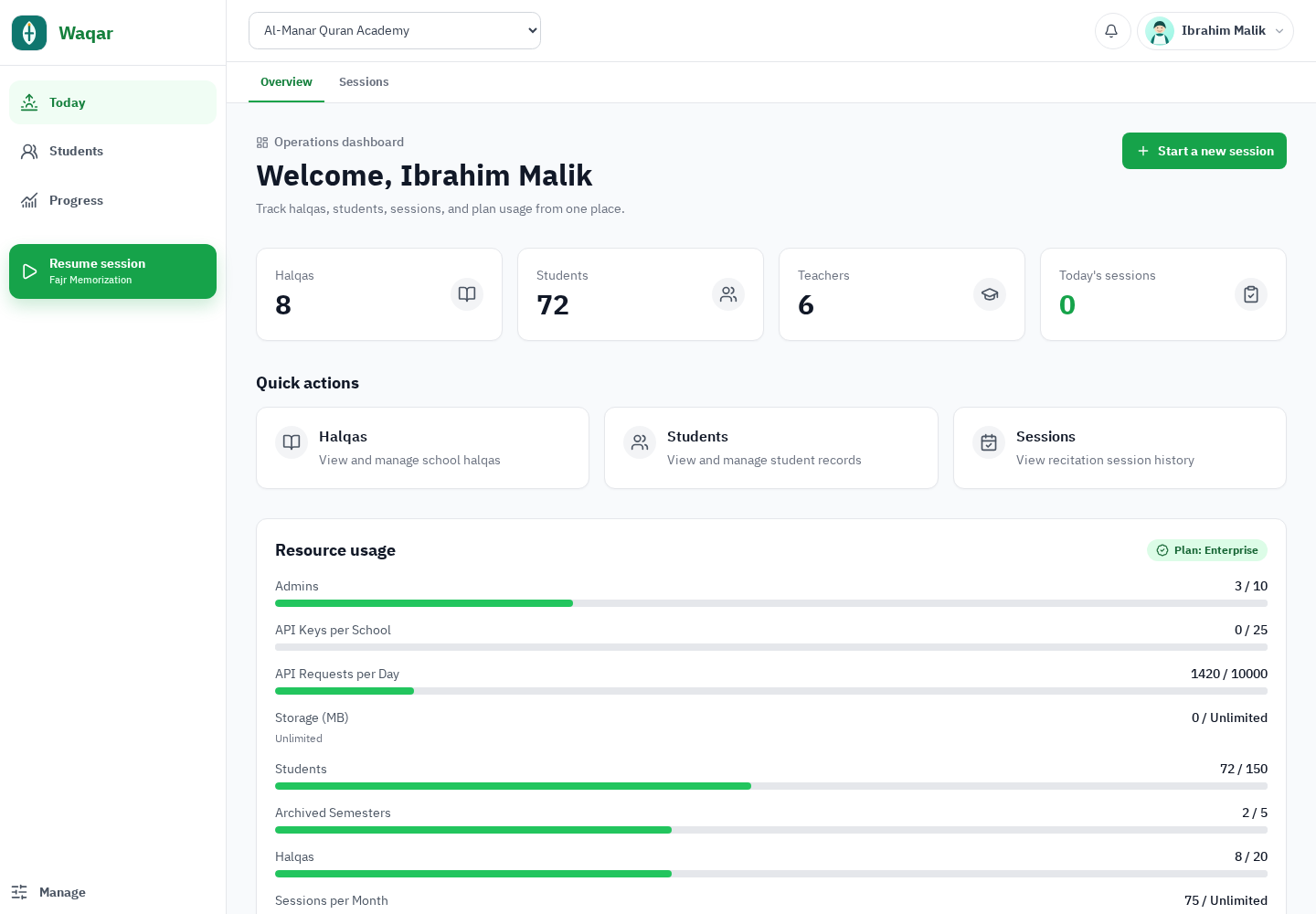
These screens tell one continuous Al‑Manar story: a teacher opens today’s assignment, records the session, the plan adapts only future work, and staff and parents see the right result for their role.
01 · Daily recitation workflow
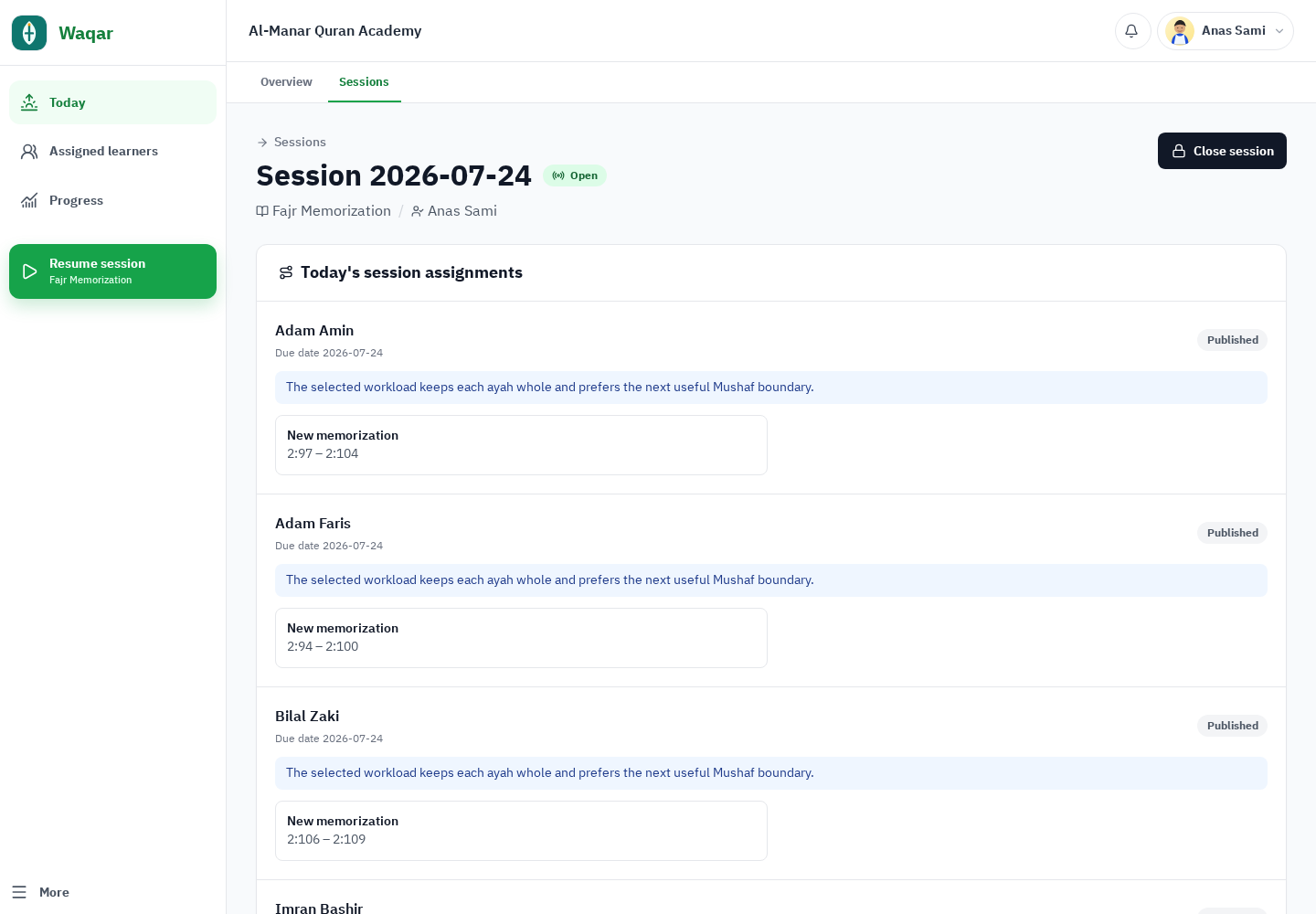
The assignment arrives inside the session
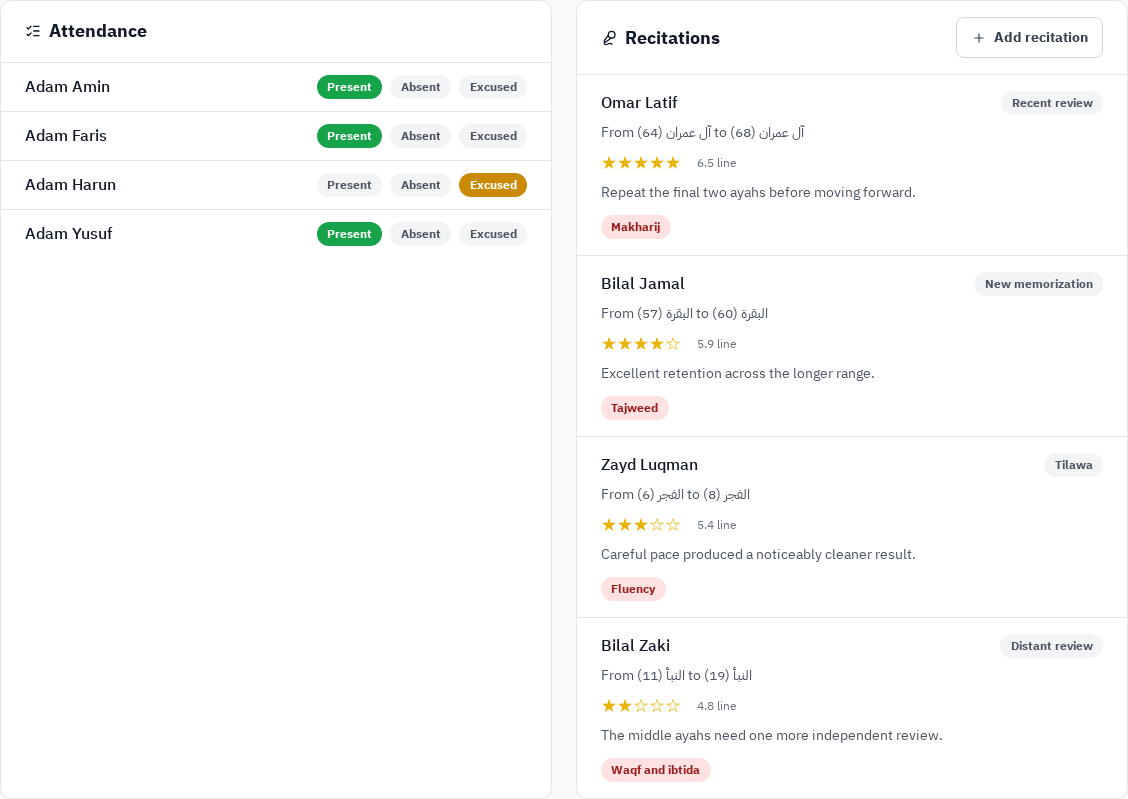
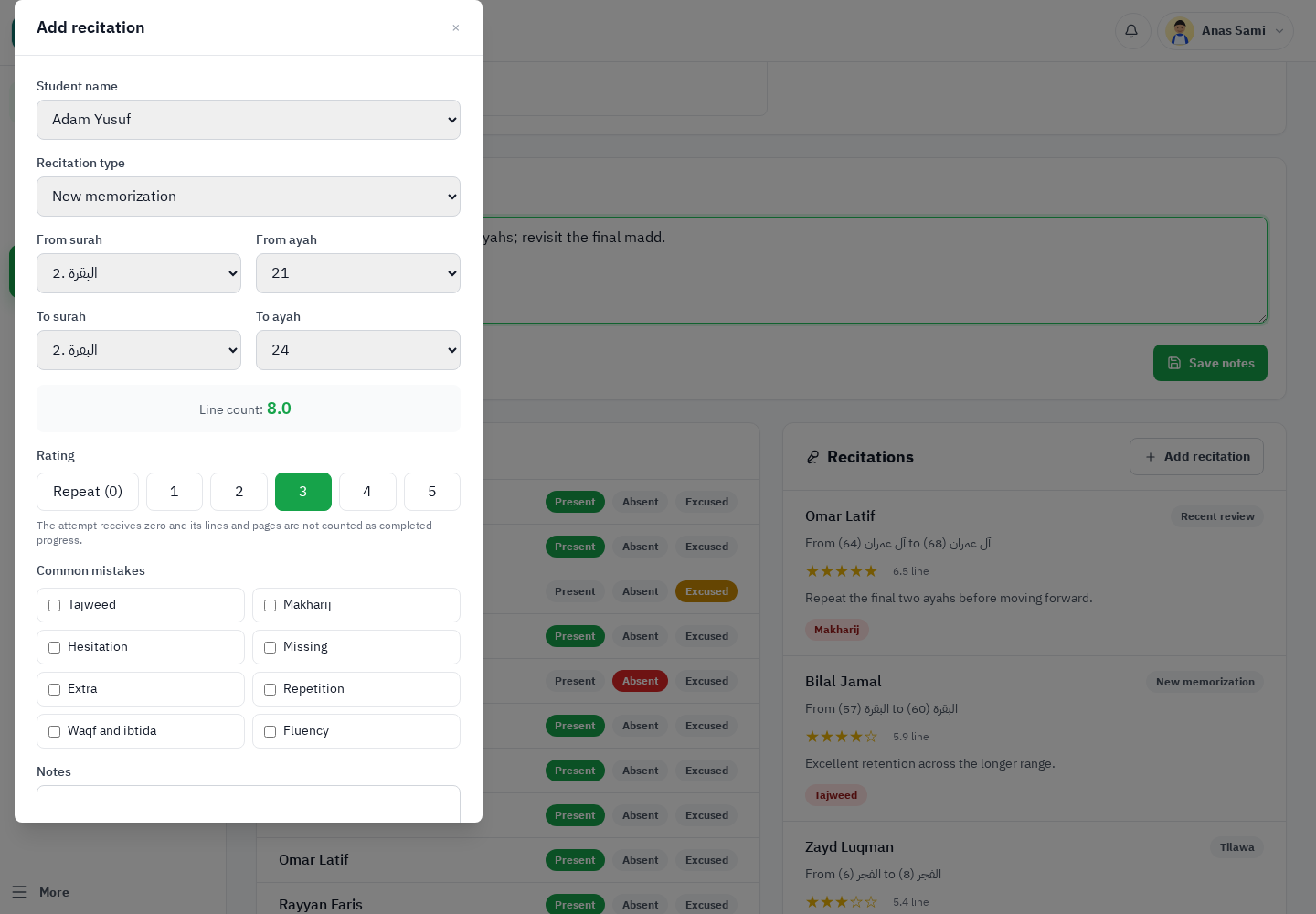
Teachers start with published, due work. Attendance, Quran range, ratings, repeats, mistakes, and notes stay together, so there is no second spreadsheet to reconcile.
- Published assignments and due segments
- Present, absent, excused, and late attendance
- New memorization, recent review, distant review, and tilawa
02 · Teacher-controlled Learning Plans
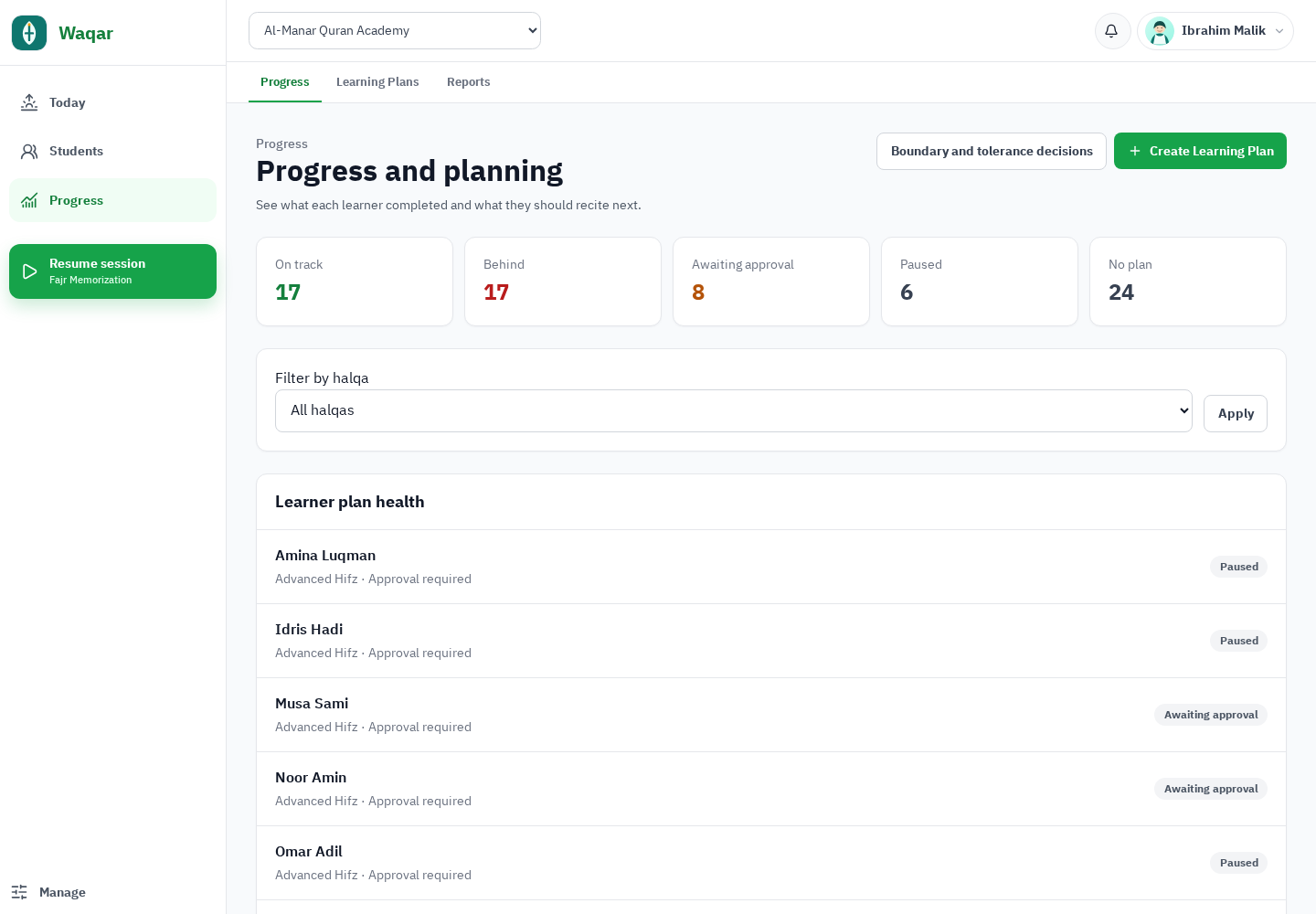
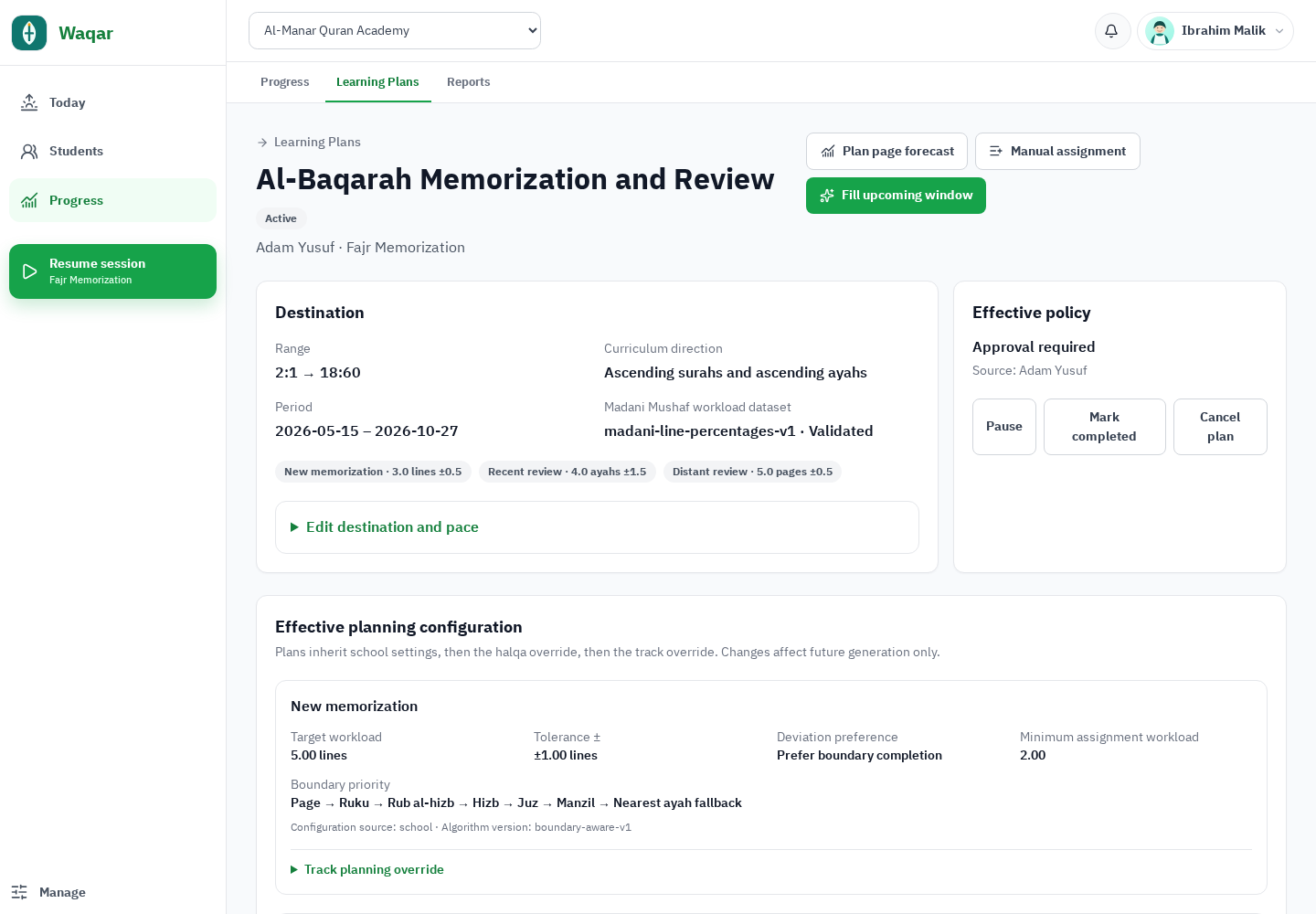
Clear destinations. Human approval. Future-only adaptation.
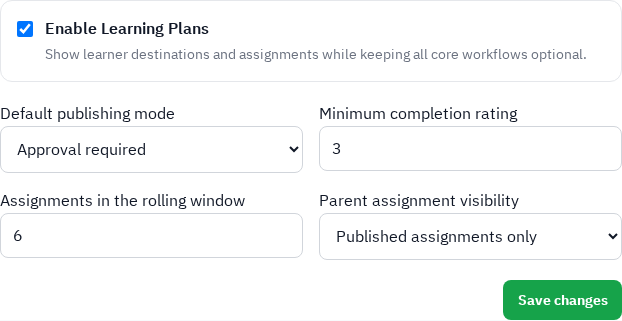
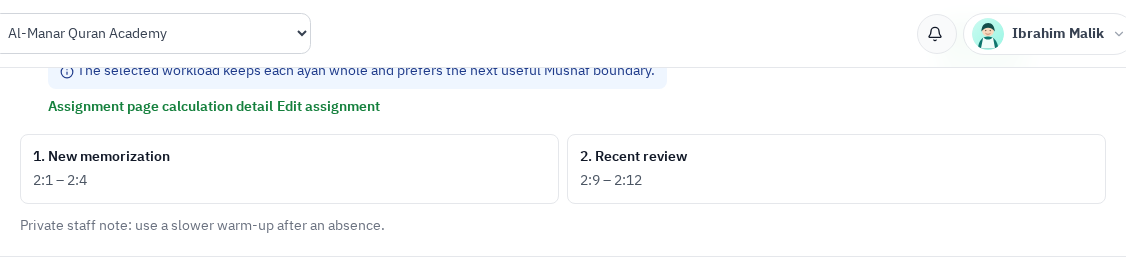
Learning Plans are optional and configurable. Staff can review generated work, publish automatically or by approval, and preserve completed history while new outcomes influence only future assignments.
03 · Mushaf-aware reporting
Measure the Quran range without flattening it
Reports keep structural Mushaf-page coverage distinct from 15-line page-equivalent workload. Student, circle, and school views expose the dataset and calculation basis instead of hiding them behind one vague progress percentage.
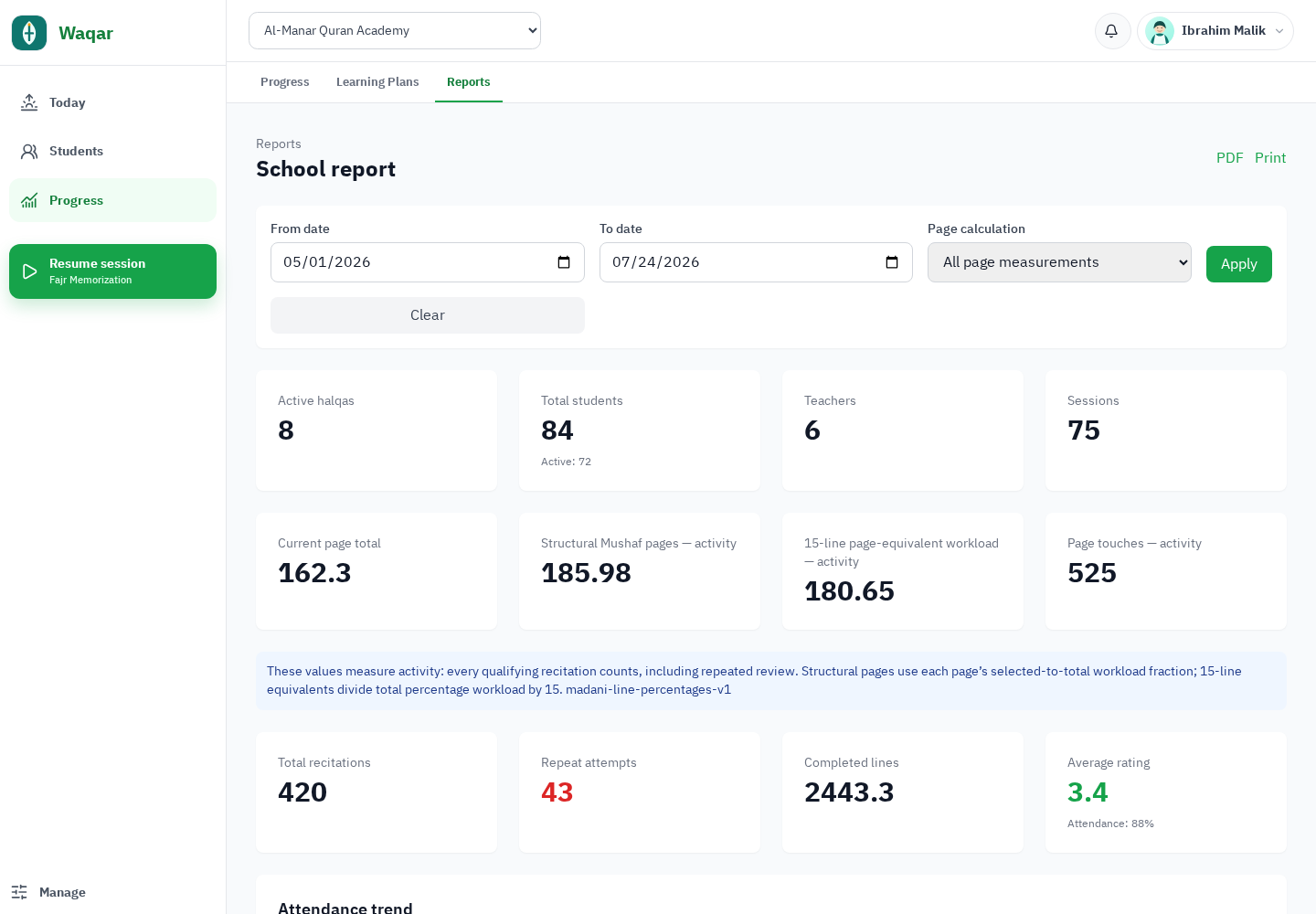
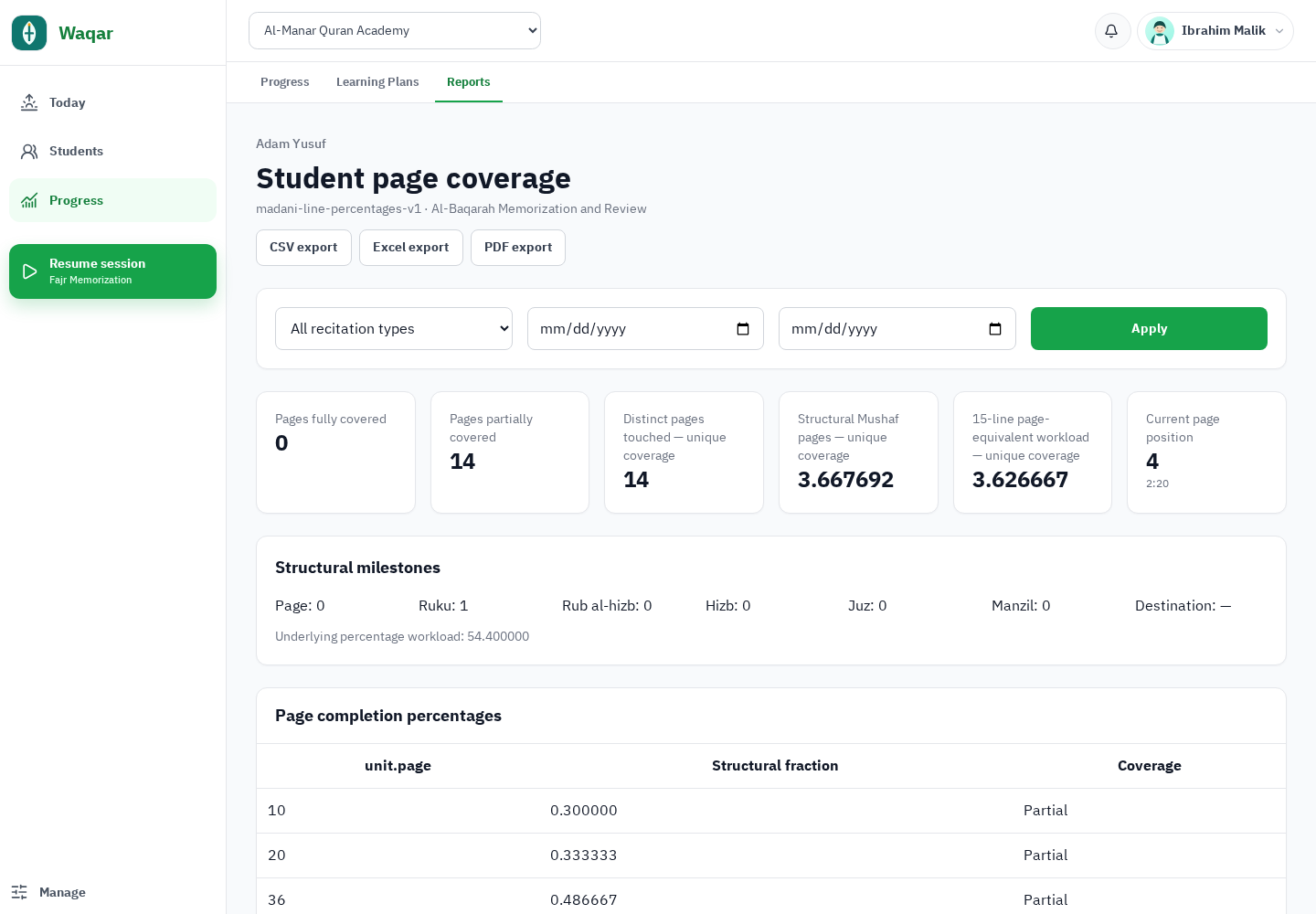
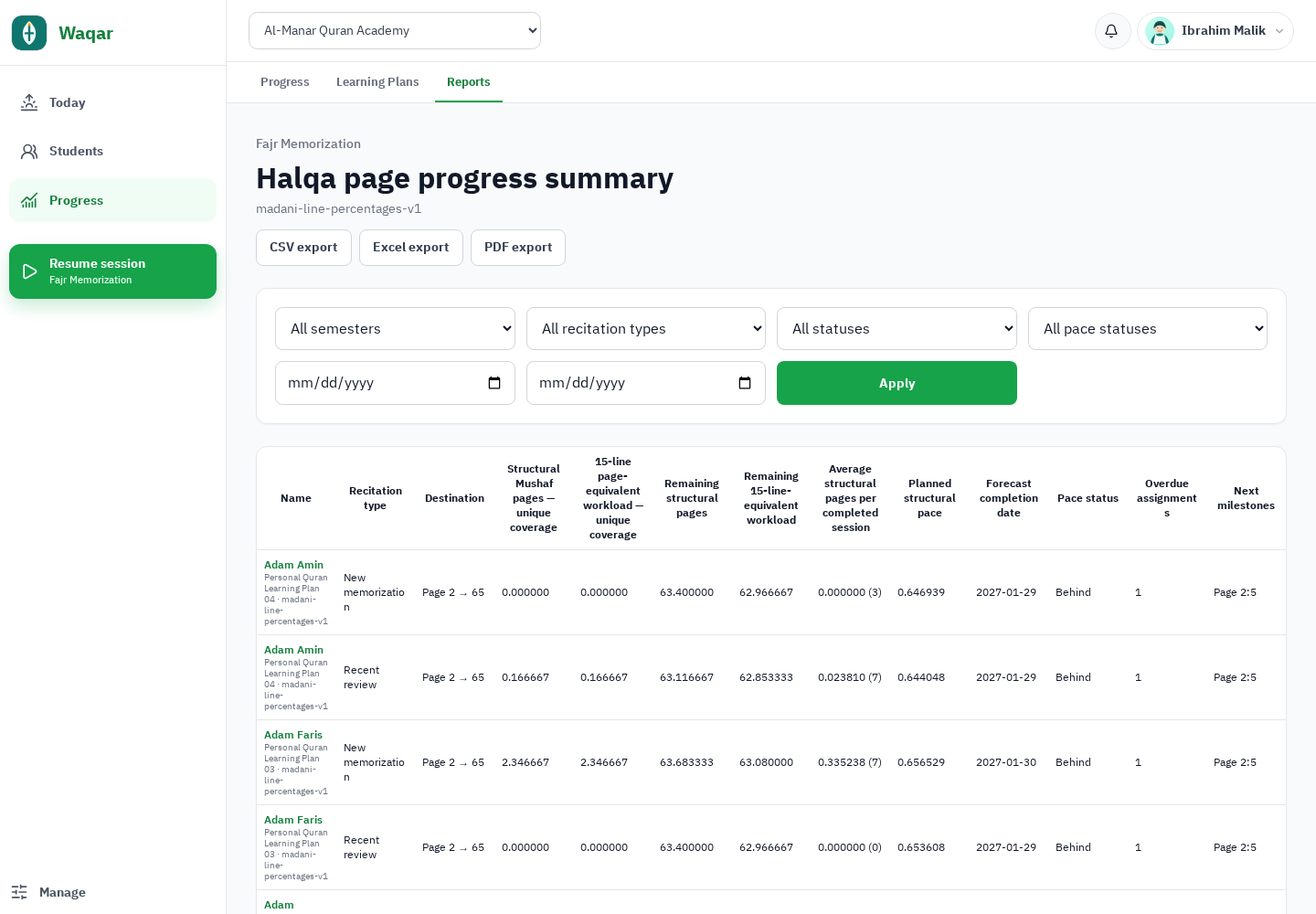
PDF export is available on eligible plans. CSV and XLSX exports share the CSV-export entitlement and may be plan-controlled.
04 · Parents and role-based collaboration
Useful visibility, without staff-only notes
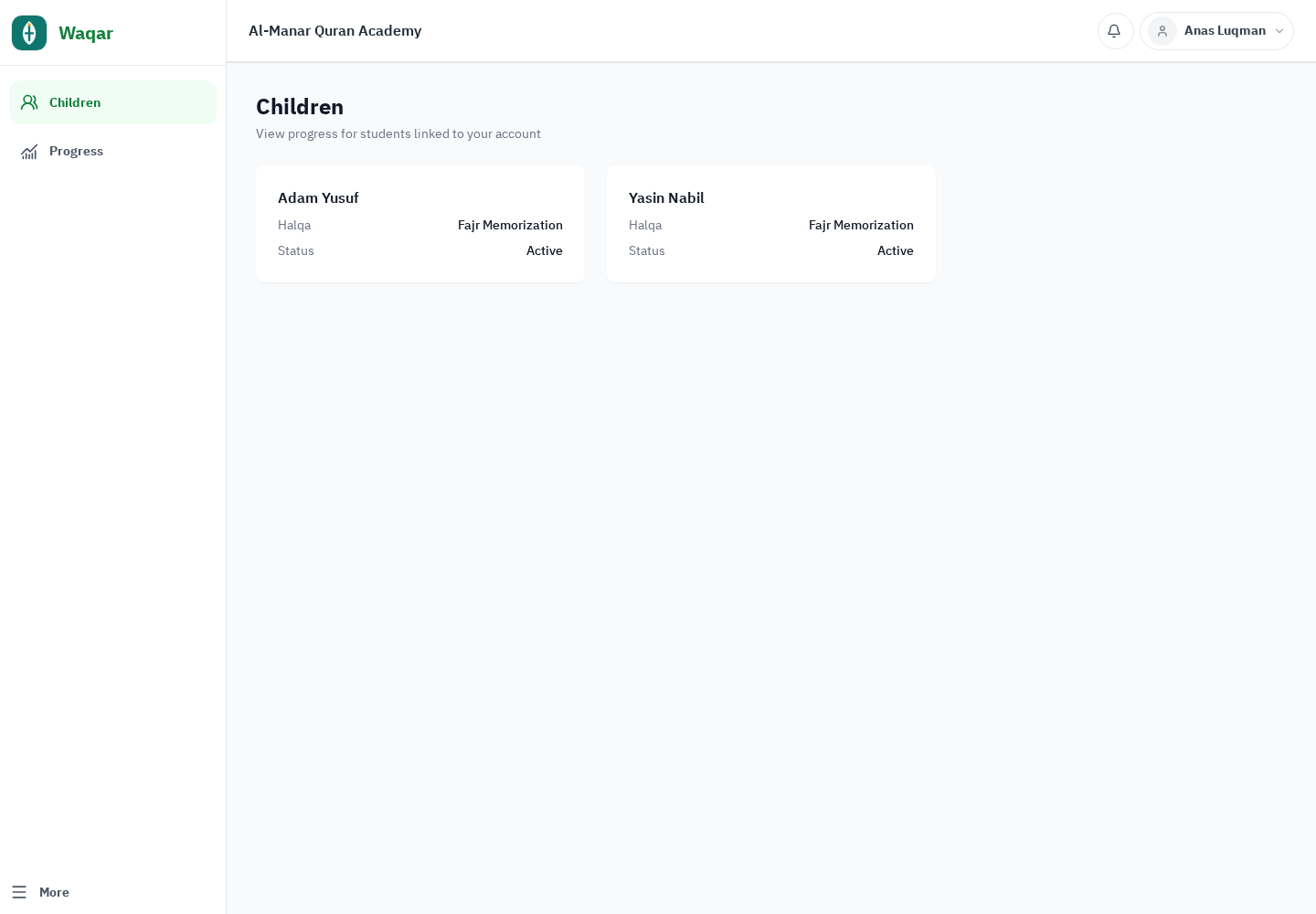
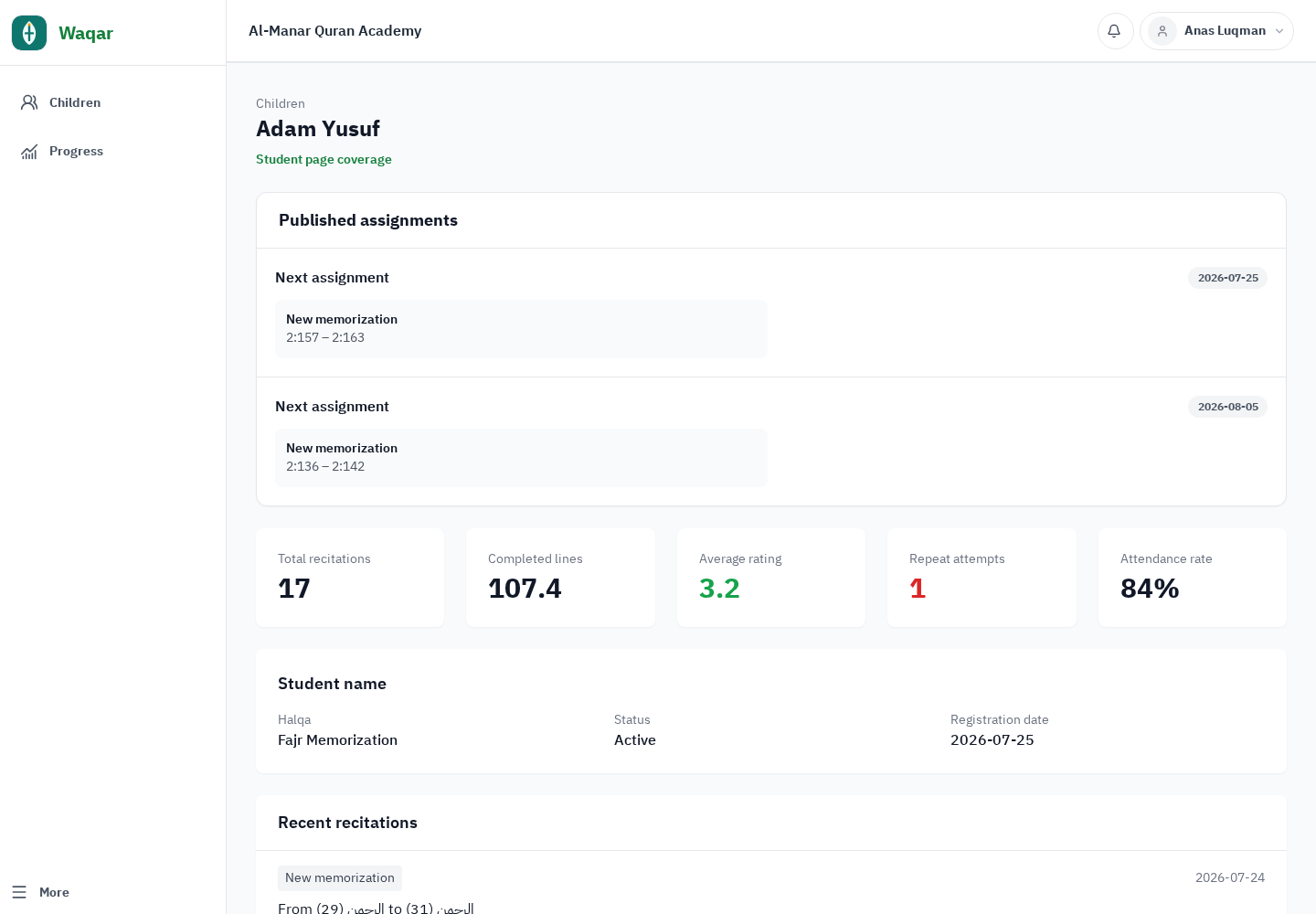
Parents can follow linked children, attendance, recitation, current position, and published assignments. Internal planning notes and staff controls remain private.
05 · Administration and integrations
Policies and integrations stay controlled
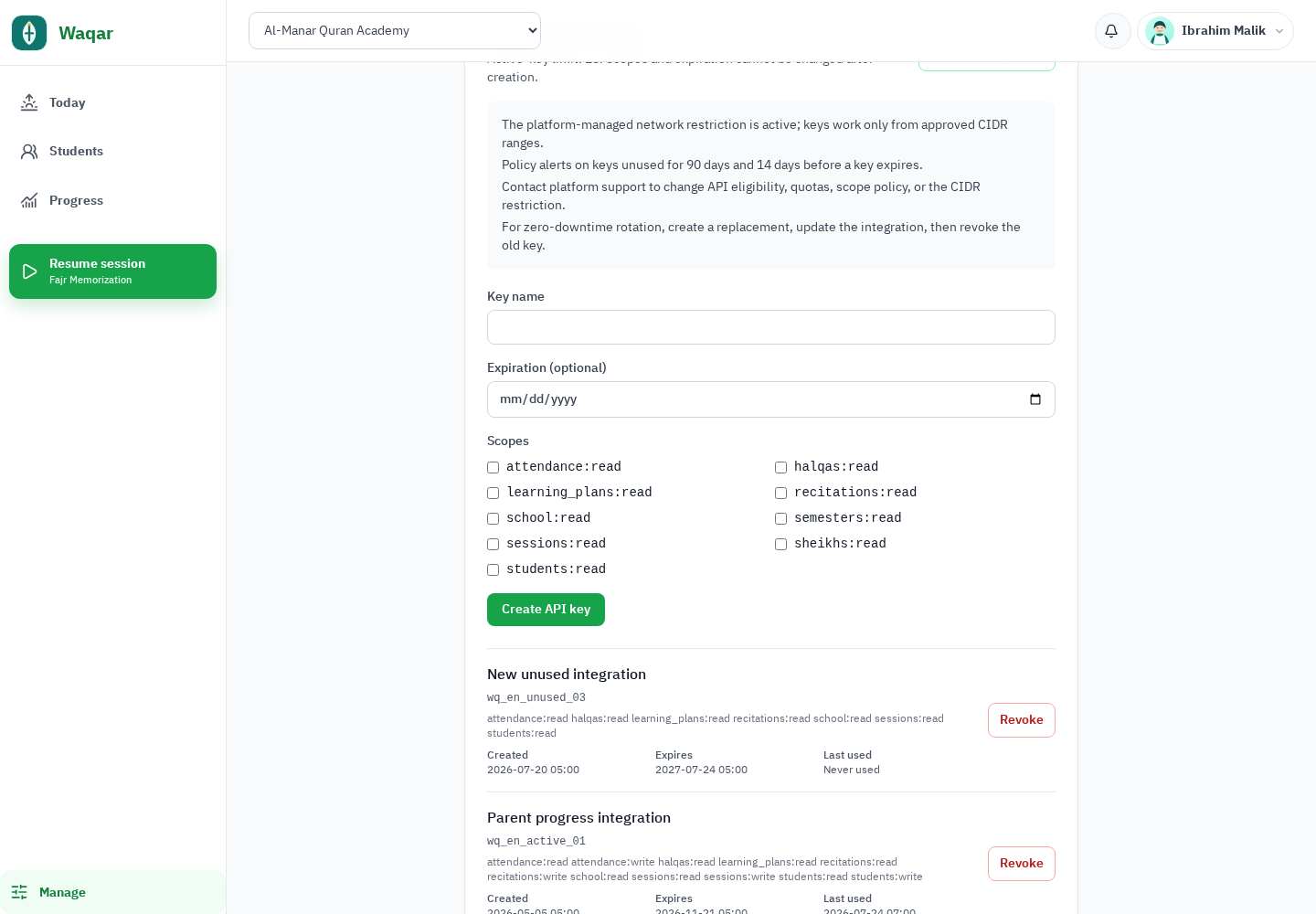
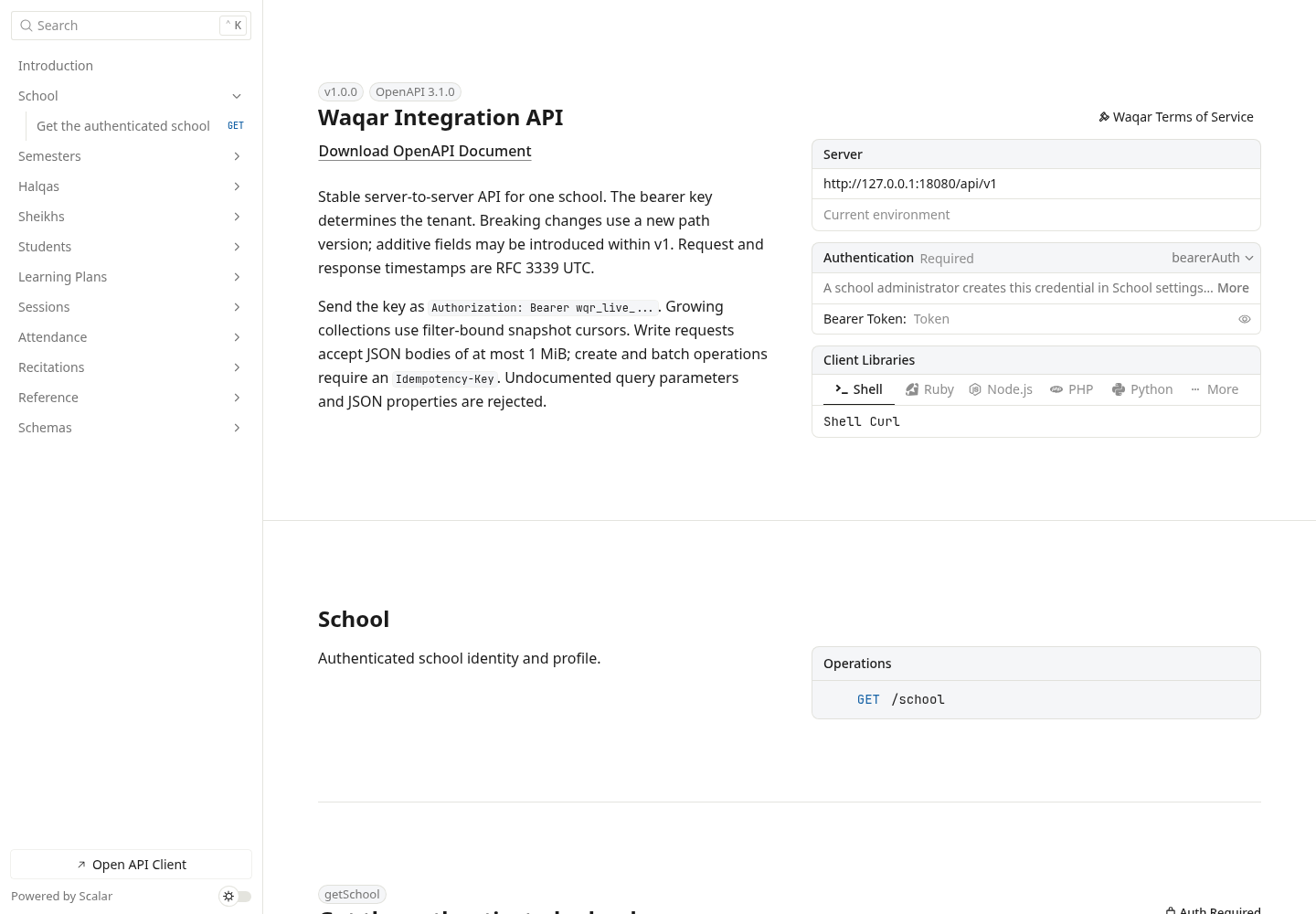
Configure publishing mode, parent visibility, workload policy, boundaries, limits, and school branding. Logo upload and display are supported; this is not a claim of full white-label customization.